The catalog · every screen a real build
Twelve things we build — and what each one takes off your plate.
Purpose-built demos of systems running real operations — companies and figures in the screens are invented; the capabilities are not. Every item ships as part of a system you own: one-time price, no seat fees, you own it.
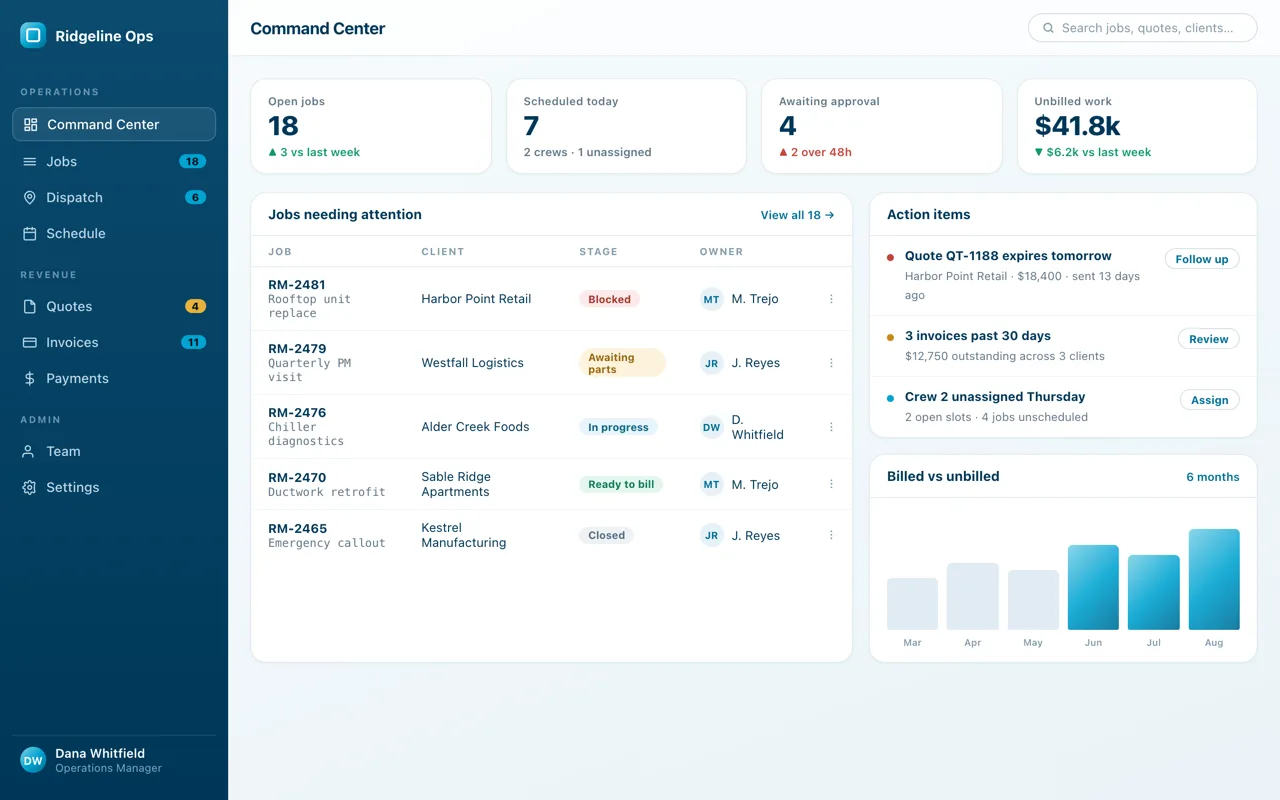
01 · The command center
Open one screen and know where every job, crew and dollar stands.
Jobs running, approvals waiting, unbilled work — the day comes to you, in priority order, instead of living in six people’s heads.
What it ends: the morning ask-around.
02 · Scheduling
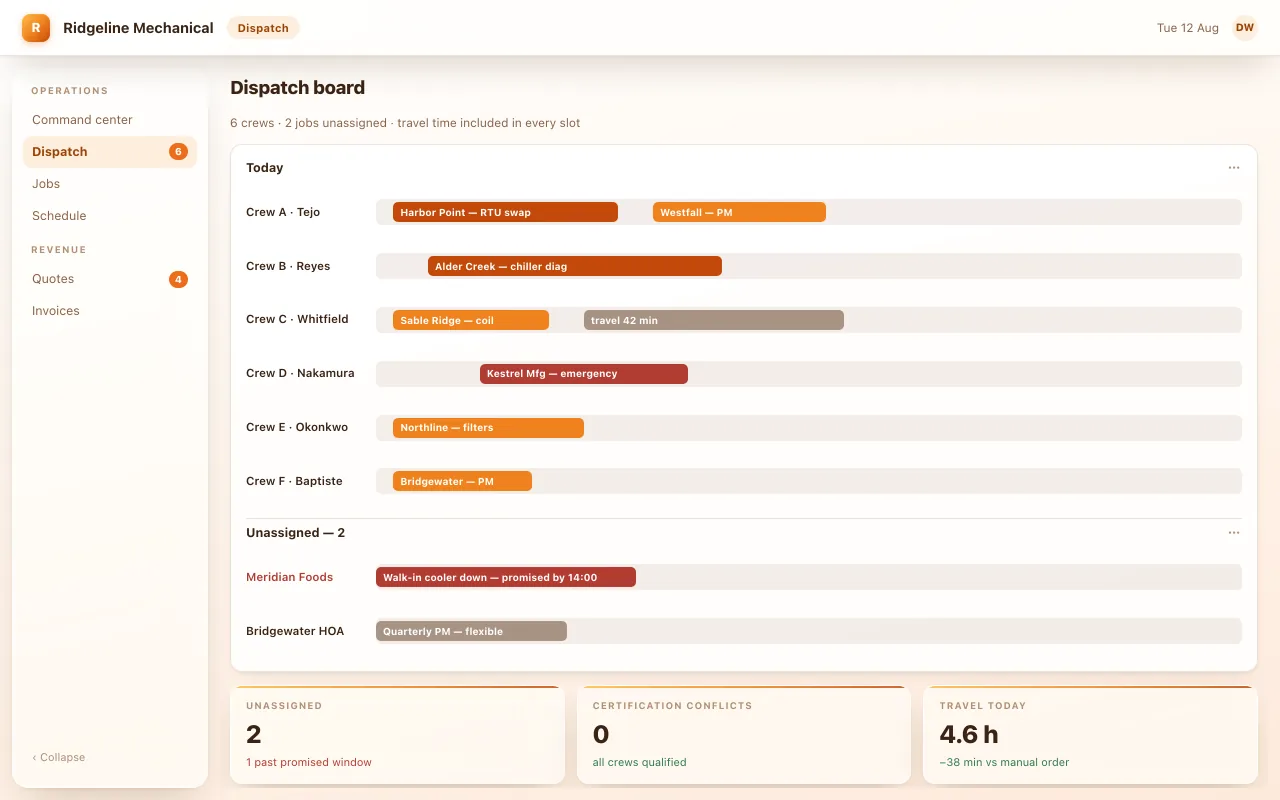
The right crew on the right job — without the 7am phone chain.
Six crews, travel time built into every slot — this day runs 38 minutes lighter than manual ordering, and the two unassigned jobs wait at the top with their promised windows, not in someone’s head.
What it ends: the whiteboard, and re-dialing the whole crew when plans change.
03 · Schedules that react
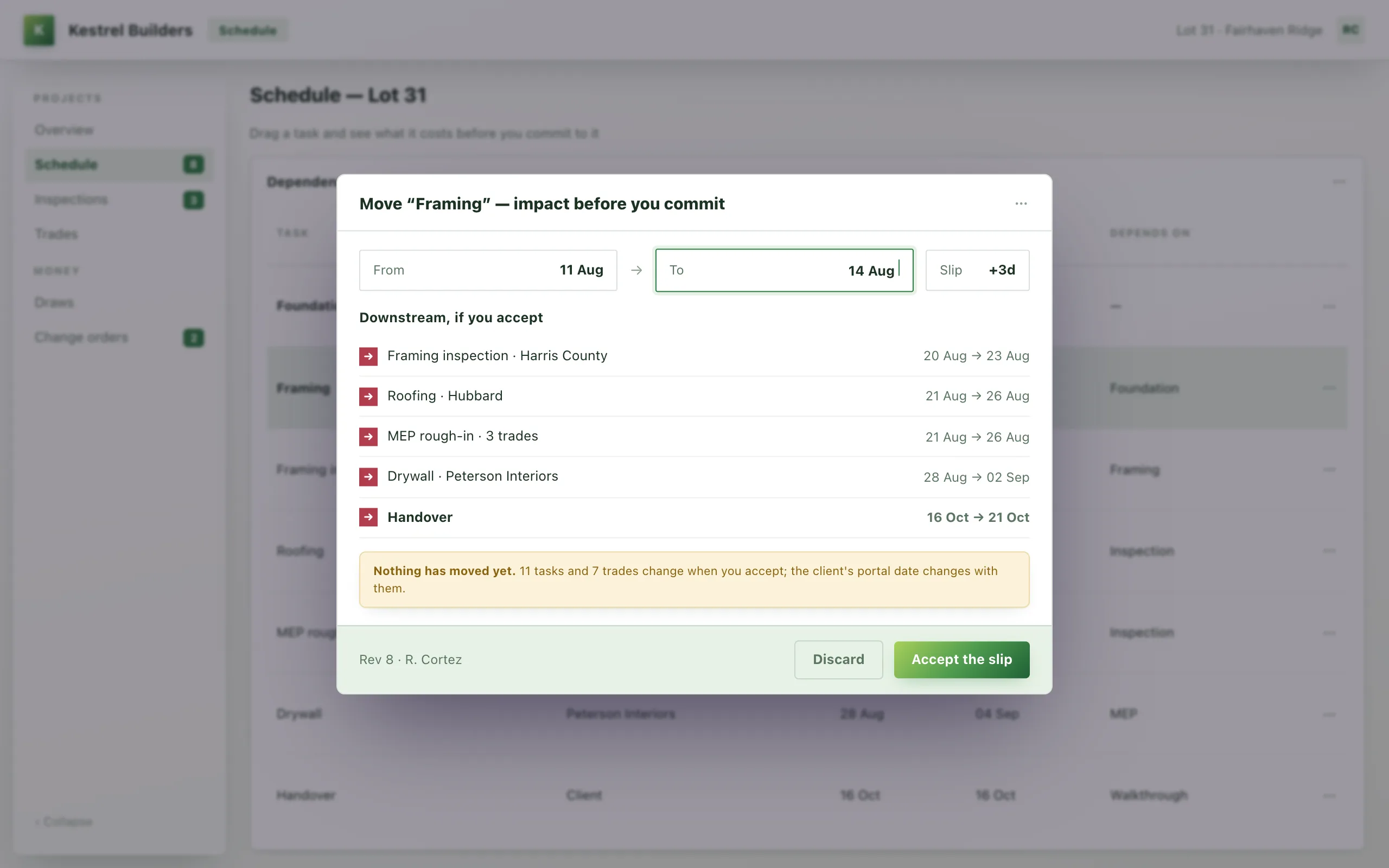
A delay moves every date behind it — and tells you who to call.
A failed inspection shifts the six tasks that depend on it, updates the handover date, and lists which trades to re-notify.
What it ends: re-planning the month by hand after every slip.
04 · Quoting
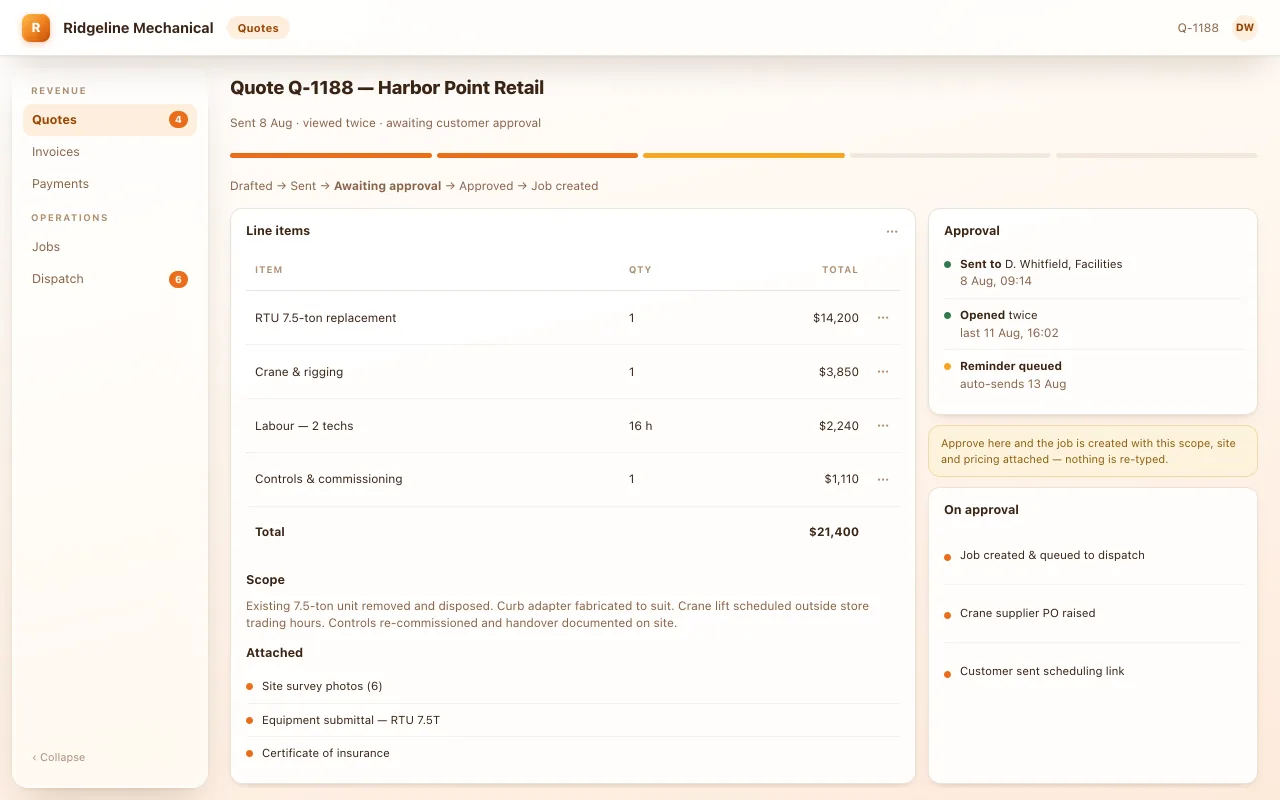
Quotes go out the same day and come back signed.
Sent in a click from the job — you can see it was opened twice, the follow-up is queued to send itself, and the moment they approve, the job is created with nothing re-typed.
What it ends: quotes dying in an inbox.
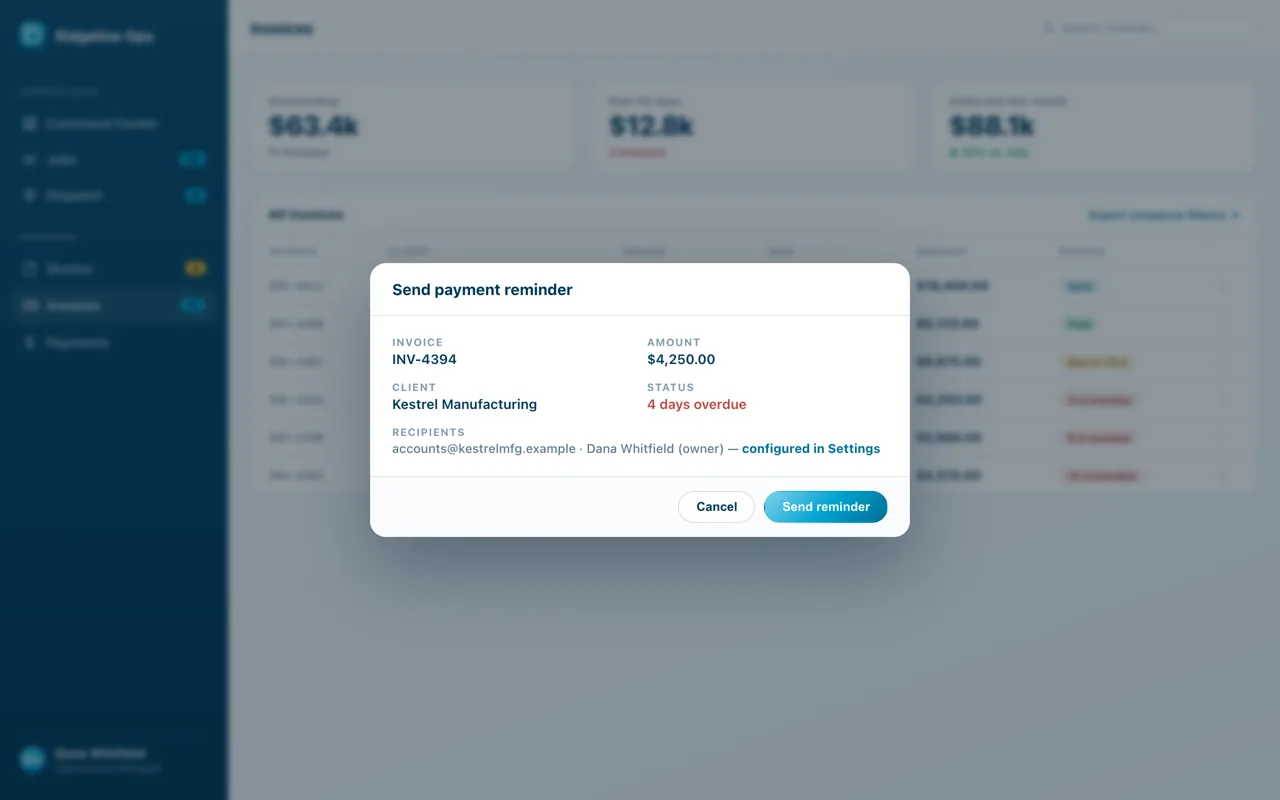
05 · Automated finances
Quote → approval → invoice → paid. Nobody re-types a number.
The approved quote becomes the invoice the moment the work closes; reminders chase it until the money lands, and it all books to QuickBooks.
What it ends: the gap between “they said yes” and “we got paid.”
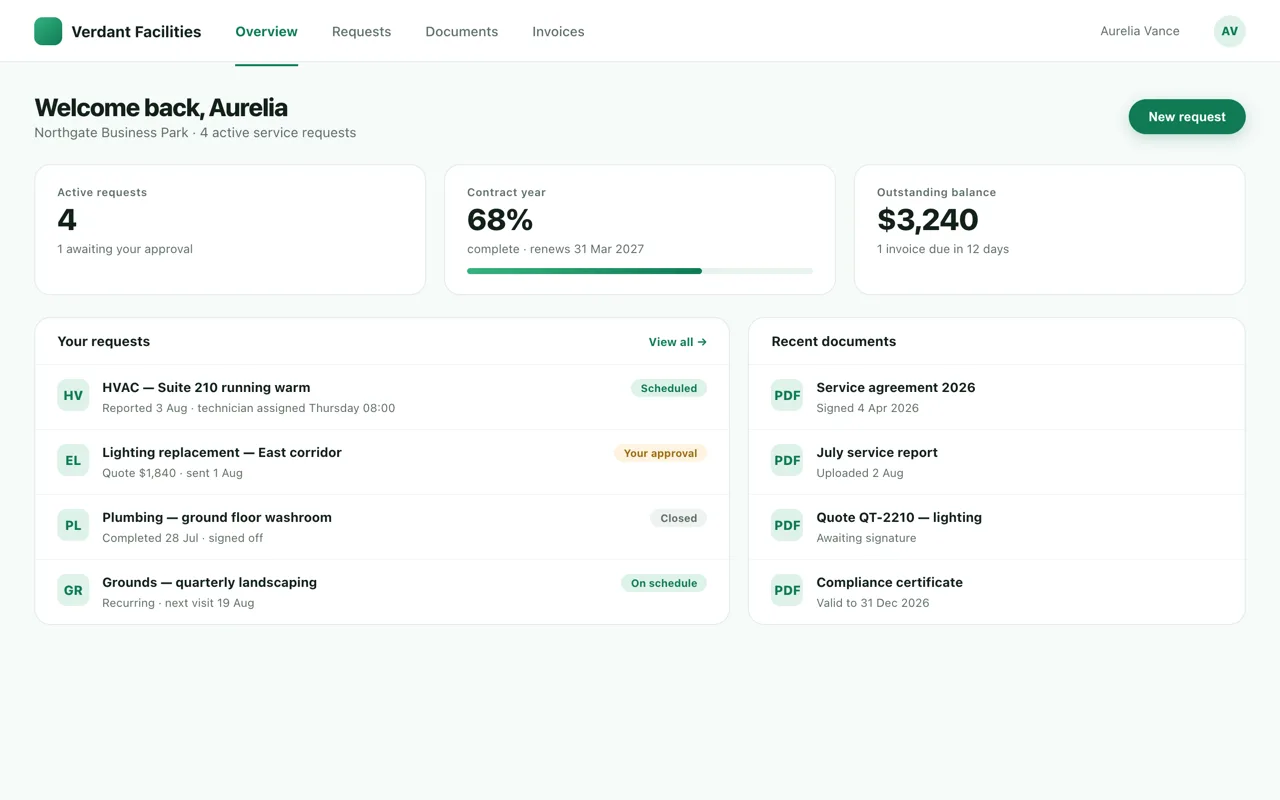
06 · Customer portal
Customers answer their own “where’s my job?”
Status, documents and approvals on a page with your name on it — they check it instead of calling you.
What it ends: the “just checking in…” emails.
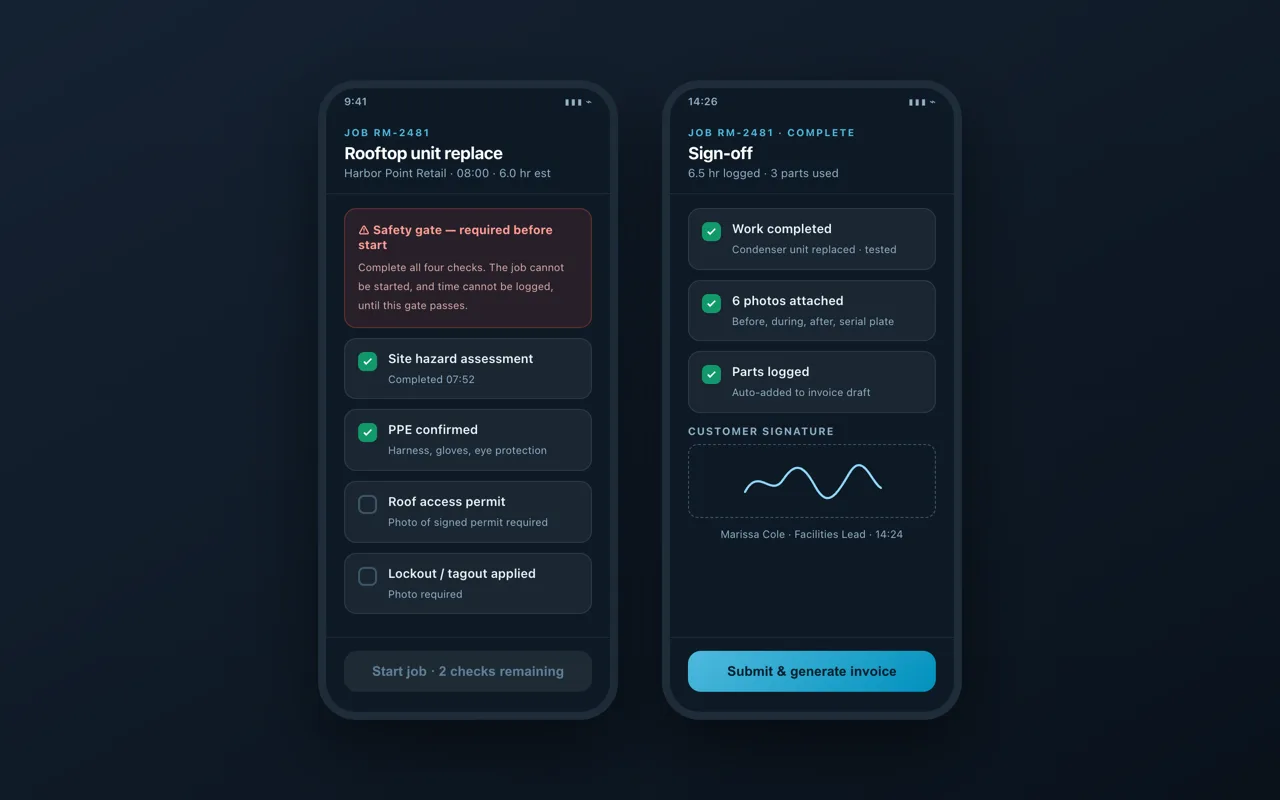
07 · The mobile app · comes with every system
Your crew runs the day from their phone — and the office sees it live.
It installs straight from your site to their home screen — no app store, no per-seat fee — and pushes notifications: new job assigned, schedule change, approval waiting. Clock in, log the daily, photos, customer sign-off; safety checks actually block a job from starting until they pass.
What it ends: paper timesheets, and reconstructing the week every Friday.
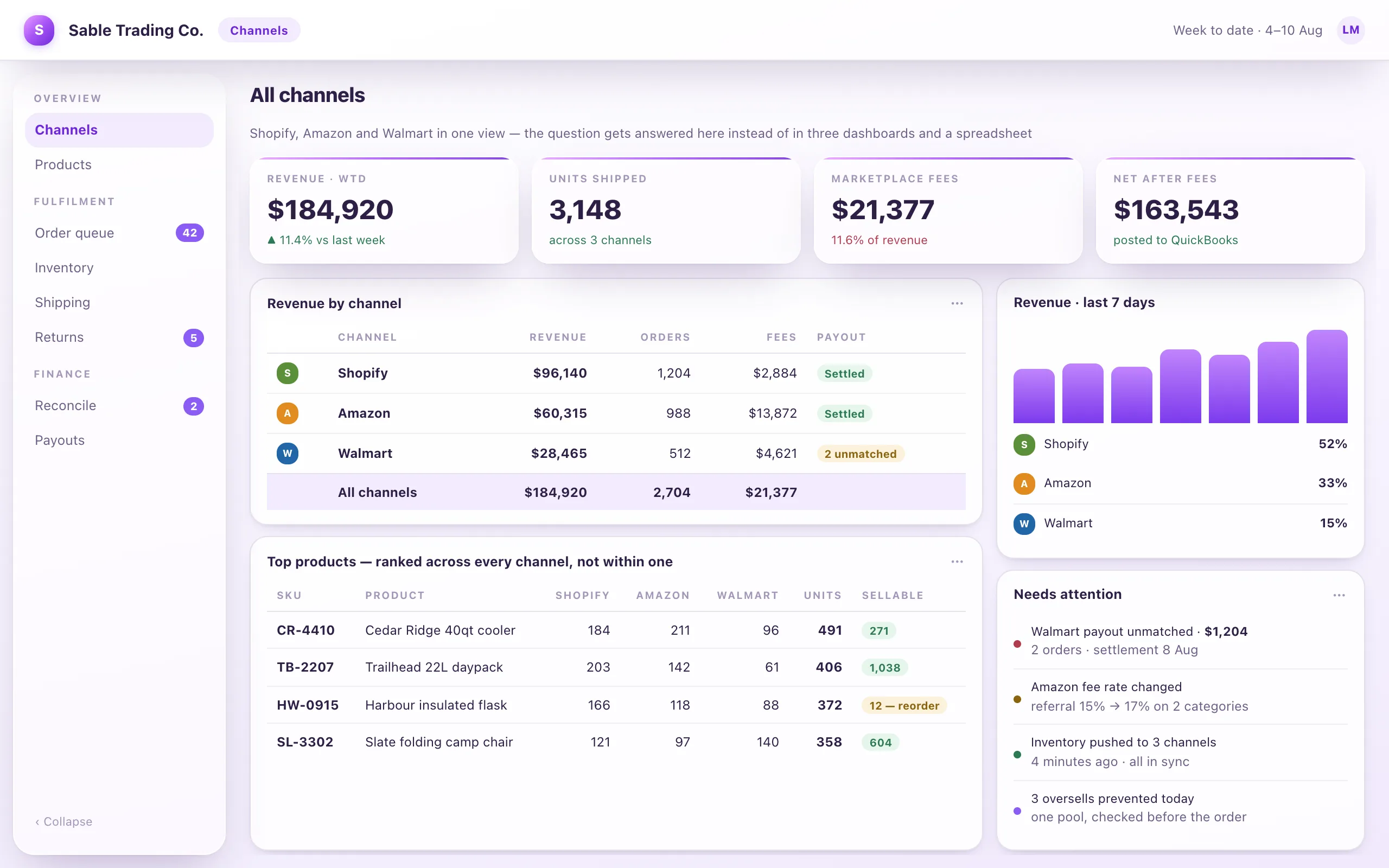
08 · Orders & channels
Every marketplace order in one queue.
Shopify, Amazon, Walmart — orders, inventory, fees and payouts reconciled in one place instead of three dashboards.
What it ends: reconciling channels by hand.
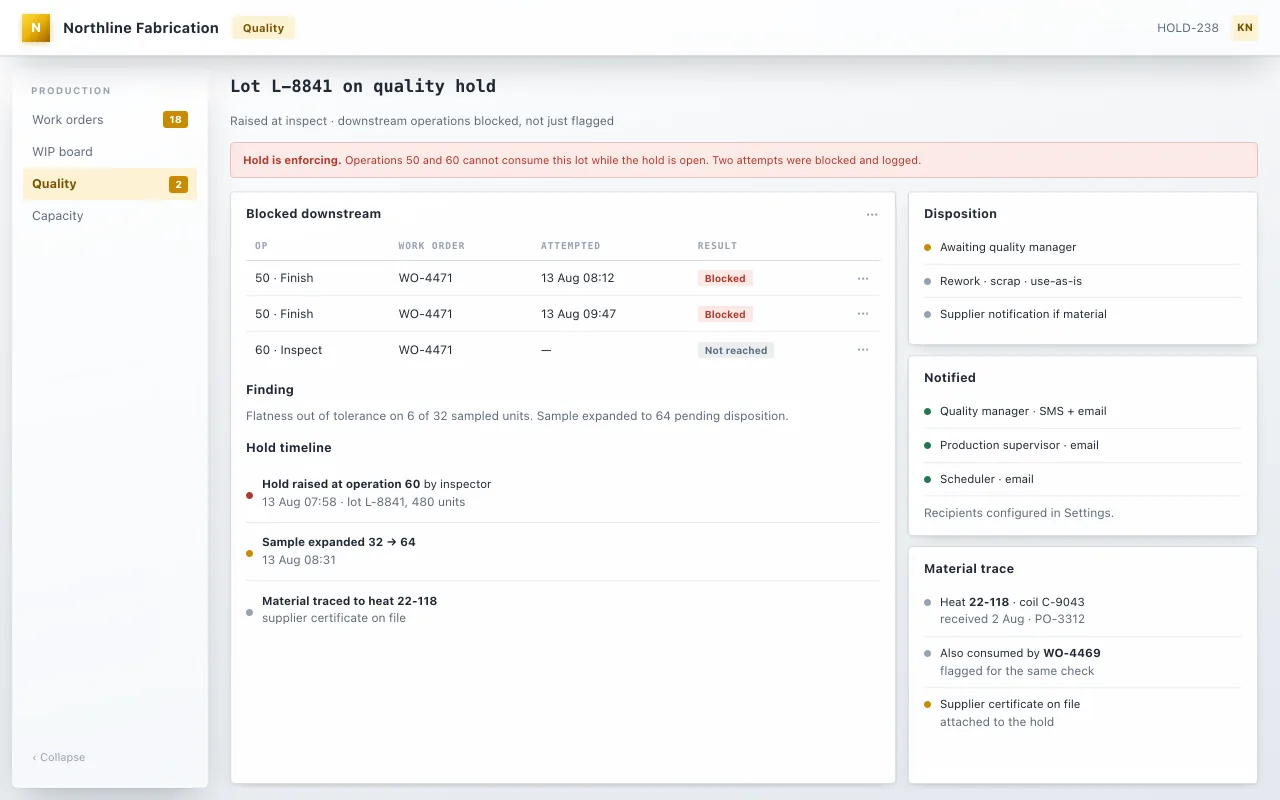
09 · Production & quality
A quality hold that actually stops the line.
Raised at inspection, it blocks the downstream operations — two attempts logged as blocked — notifies the right people automatically, and traces the material to its heat.
What it ends: the bad lot that ships anyway.
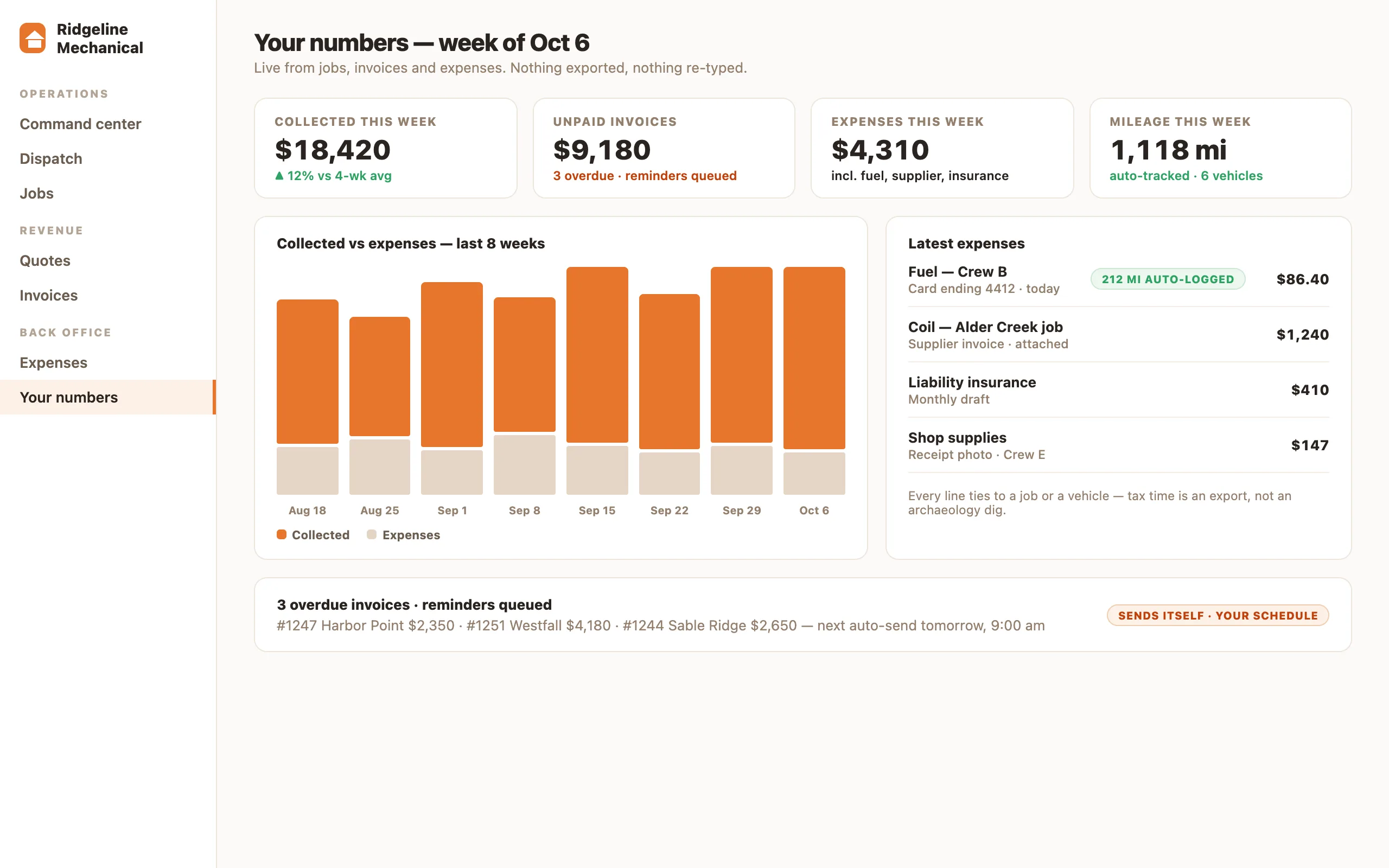
10 · Your numbers in one place · in the $5,000 base
See what the business made this week without exporting anything.
One live screen — with expenses and mileage tracked beside it. We run our own company on exactly this. It’s the $5,000 base →
What it ends: four logins and the Sunday-night spreadsheet.
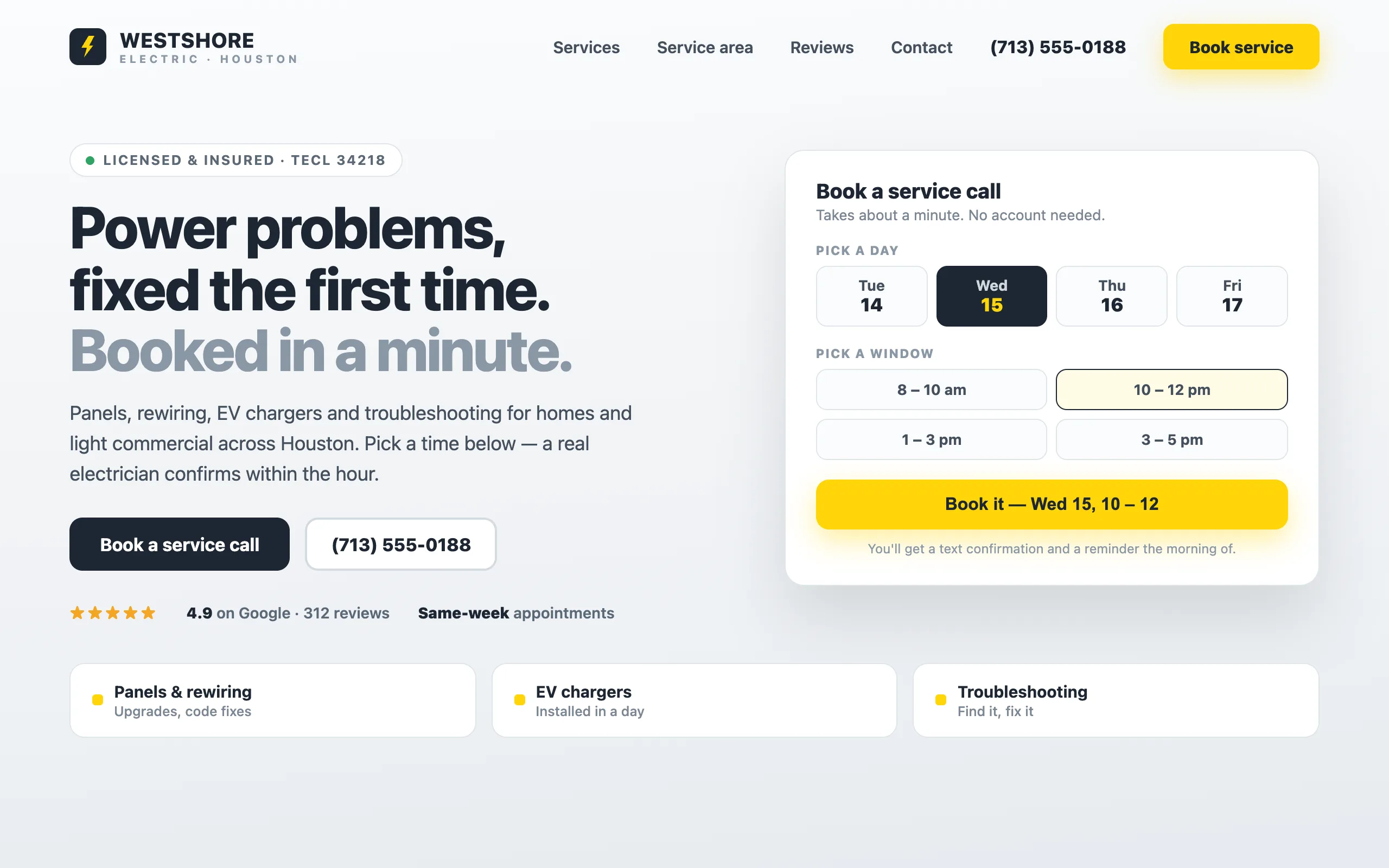
11 · The business website · from $2,000
And yes — we build business websites. Ones that work for you.
It answers inquiries, takes bookings, and sends every form straight to your inbox — then it can grow into the system around it. See the website offer →
What it ends: the website that’s just a brochure.
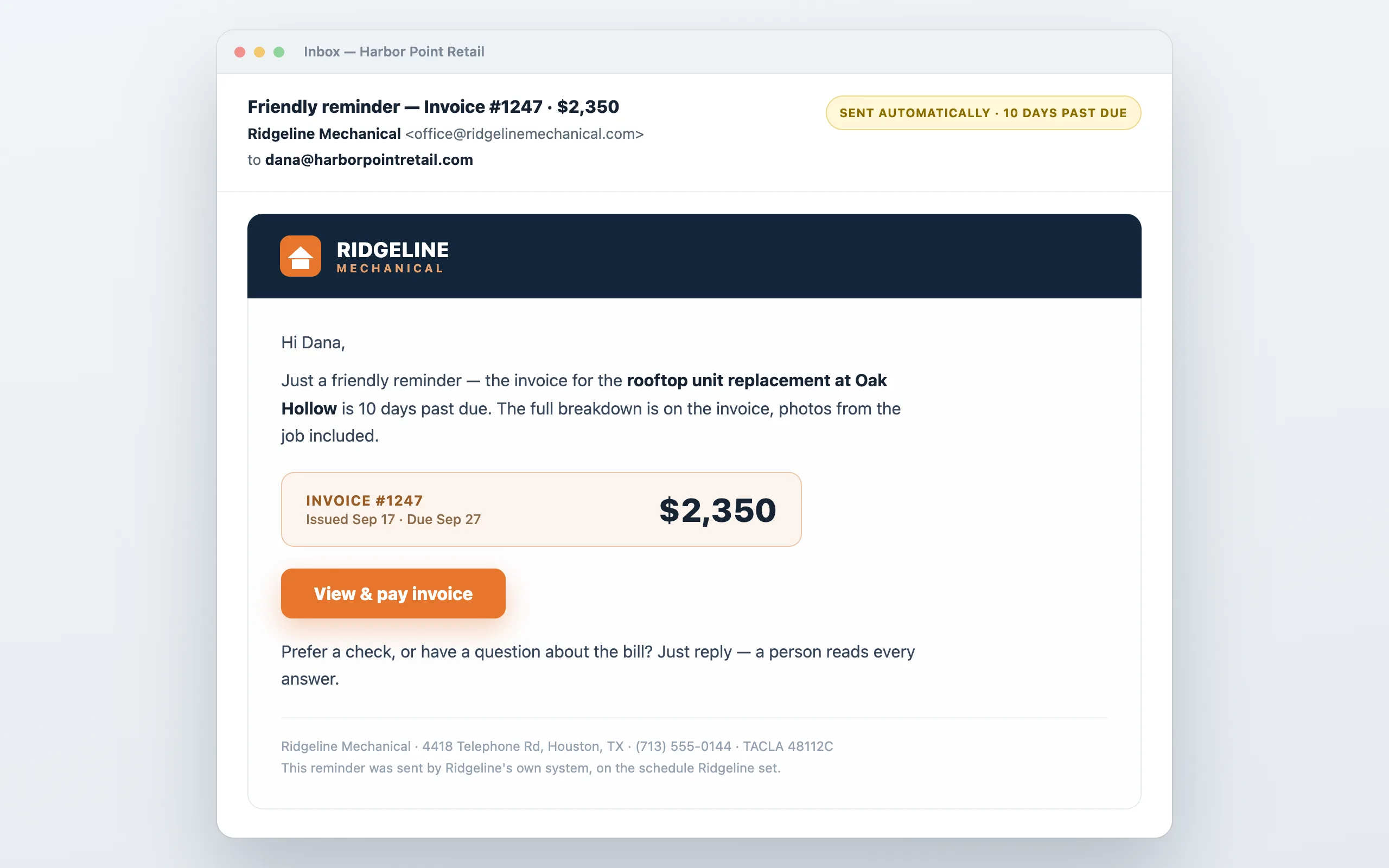
12 · Automated emails & reminders · comes with every system
The system sends the emails you keep meaning to send.
Quote follow-ups, appointment reminders, invoice chasing, review asks — drafted from the record, sent on your rules, from your address.
What it ends: the follow-up sticky note.
Built for your industry
Start from how your trade actually works.
Saw the one that’s yours? Send us what you’re paying now.
Screens are purpose-built demos with invented companies and figures — no customer data. Prices are published floors (October 2026), always “from” and one-time. The live demo of a real system is one click away on each industry page.